
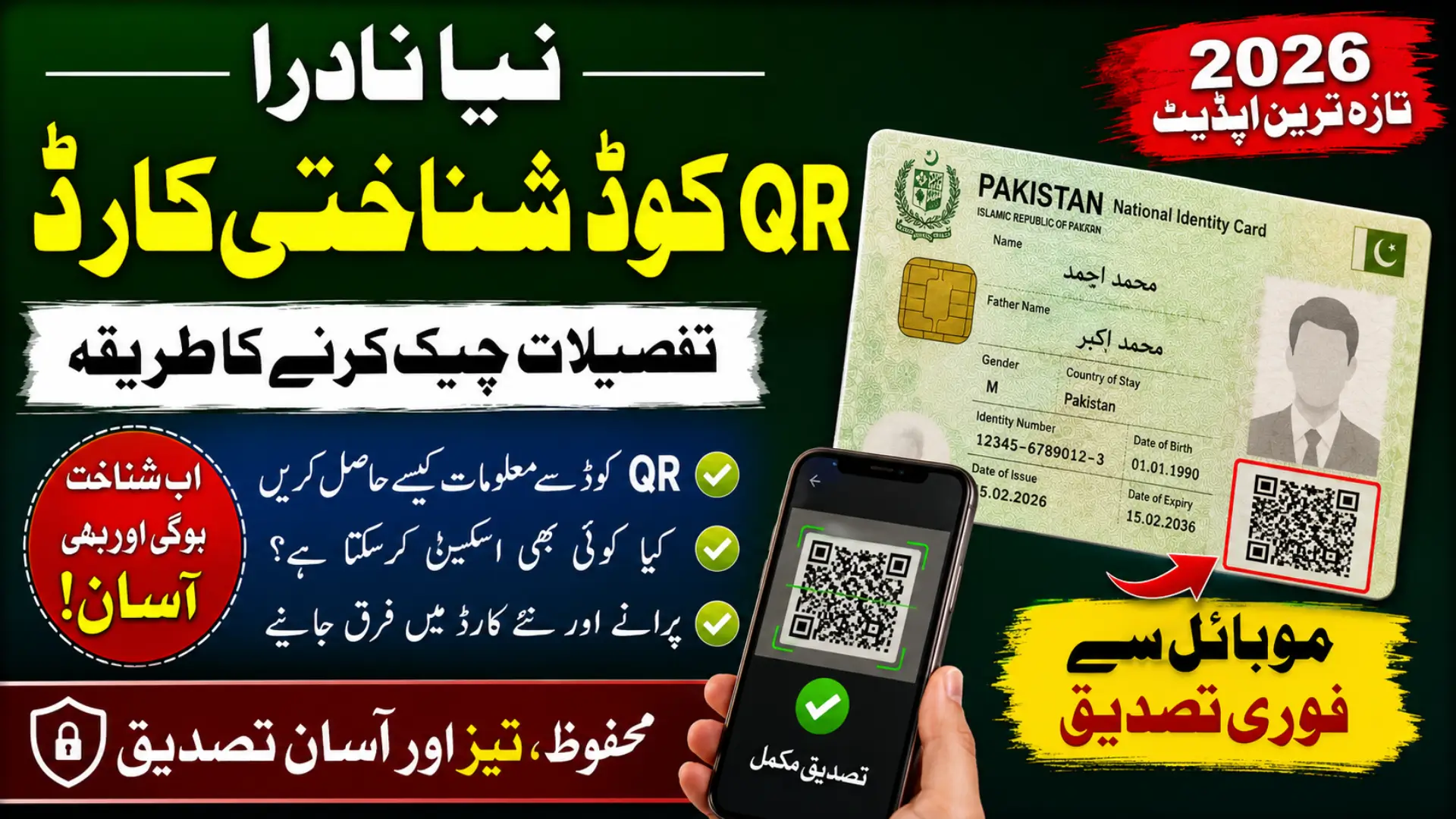
Nadra QR Code Identity Cards
NADRA has introduced a new QR-code-based National Identity Card (NIC) as part of the modernization of Pakistan’s identity system. The new card replaces the traditional microchip-based approach with a secure, machine-readable QR code designed for faster identity verification. NADRA’s current CNIC information also lists the QR-code CNIC as a newer card type for faster verification and authentication.
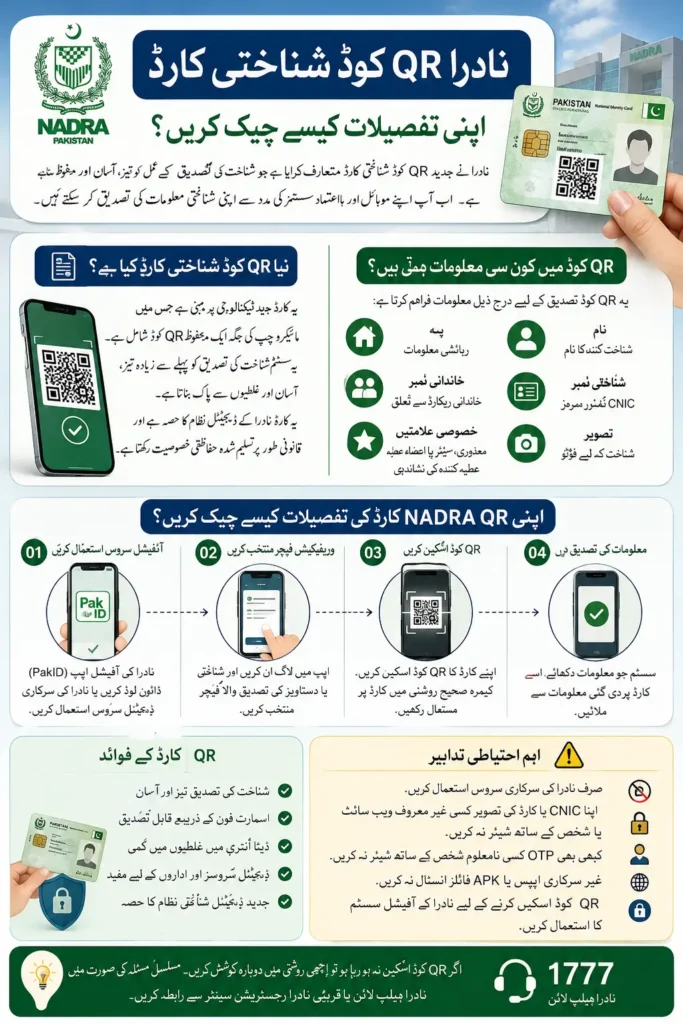
For citizens, the biggest question is simple: How can you check NADRA QR Code Identity Card details? The QR code is intended to make verification easier through smartphones and authorized verification systems. However, scanning a QR code with an ordinary camera does not mean that anyone can freely access a person’s complete NADRA record. Verification is controlled through NADRA’s official systems and authorized services.
What Is the New NADRA QR Code Identity Card?
The new QR-code identity card is a modern version of Pakistan’s National Identity Card. Instead of depending on a microchip that requires compatible card-reading infrastructure, the card contains a secure QR code that can be machine-read using suitable software and camera-enabled devices. NADRA says the QR system is legally recognized as a security and verification feature under the updated identity-card rules.
You can also read: Pakistan Independence Day Date 1947
The purpose is to make identity verification faster and more practical. NADRA explains that the QR-based system supports its wider Digital ID ecosystem and can help organizations verify identity information while reducing manual data-entry errors. The card also retains important visible information and security features required for an official identity document.
What Information Is Connected With the NADRA QR Code?
The QR code is designed to support identity verification rather than simply acting as a normal website link. According to NADRA, QR-based credentials can contain or provide access to encoded identity information that can be converted into usable verification data when scanned through an authorized system.
The new card also includes several visible identification features. Depending on the card category and applicable format, these can help identify the cardholder and relevant status information.
| Feature | Purpose |
|---|---|
| QR Code | Machine-readable identity verification |
| Name | Identifies the cardholder |
| Address | Displays residential information |
| Photograph | Visual identity confirmation |
| Family Number | Links the card to relevant family information |
| Urdu & English details | Makes information easier to use |
| Special symbols | Identify categories such as disability, senior citizen or organ donor where applicable |
How to Check NADRA QR Code Identity Card Details
The safest method is to use NADRA’s official digital services rather than an unknown QR-scanning website or third-party application. NADRA currently identifies PakID as its official mobile application for identity services, while its Digital ID platform supports QR-based document verification.
Step 1: Use the Official NADRA or PakID Service
First, use NADRA’s official digital platform or the official PakID application. Avoid downloading applications that claim to provide a “NADRA CNIC QR checker” unless you can confirm that they are officially connected with NADRA.
NADRA describes PakID as an all-in-one official mobile platform for applying, verifying and accessing identity services. Its digital identity system also supports QR codes for verifiable documents.
Step 2: Open the Relevant Verification Feature
After signing in where required, use the available identity or document verification feature. The exact buttons and interface can change as NADRA updates its digital services, so users should rely on the current version of the official application instead of following screenshots from unofficial websites.
The important point is that the QR code should be processed through an authorized NADRA verification system. A normal phone camera may recognize the QR pattern, but recognition of the code alone is not the same as official verification.
Step 3: Scan the QR Code
Place the QR code inside the scanner’s frame and keep the card steady. Make sure the code is clearly visible and that there is enough light to allow the camera to read it.
If the system supports the particular card and verification request, it can process the QR information and return the information permitted by the verification service. NADRA says QR-based credentials are intended to support rapid validation and authentication.
Step 4: Match the Returned Information
If an authorized verification system displays identity information, compare it with the physical card. Pay particular attention to the person’s name, photograph and other displayed identity details.
If the information does not match the card, do not assume that the card is automatically fake. There may be an application, synchronization or verification issue. In such cases, use NADRA’s official support or visit a NADRA Registration Centre.
Can You Scan a NADRA QR Code With Any QR Scanner?
Not necessarily. This is one of the most important points to understand about the new identity card. A standard QR scanner can potentially detect that a QR pattern exists, but that does not mean it can decode or authenticate NADRA’s protected identity information.
You can also read: Realme 16x 5G Price Details Check 2026
NADRA’s digital identity system is built around controlled verification. Its verifiable-credentials information says that credentials use unique QR codes for sharing and validation, and that organizations can scan and verify documents through the supported system.
What Happens When a QR Code Is Successfully Verified?
A successful verification means that the authorized system has been able to validate the relevant credential or identity information. The information shown depends on the verification service, the credential and the permissions involved.
NADRA’s Digital ID information emphasizes consent-based data sharing. Its system is designed so that citizens can control how their information is shared, rather than making every piece of personal information publicly available to anyone who points a phone at a card.
New QR Card vs Old Smart CNIC
The main difference is the technology used for verification. The older Smart CNIC uses a microchip, while the newer format uses a QR code and supporting digital verification infrastructure.
NADRA says the earlier chip-based Smart NIC could not be fully utilized because chip readers and supporting infrastructure were not widely available. QR technology can be used with camera-enabled devices and suitable software, making verification more accessible.
| Point | Older Smart CNIC | New QR-Code CNIC |
| Main technology | Microchip | Secure QR code |
| Verification hardware | Requires compatible chip infrastructure | Camera/software-based verification |
| Smartphone compatibility | Limited by chip-reading infrastructure | Designed for QR-based digital verification |
| Data verification | Chip-enabled systems | Authorized QR verification systems |
| Purpose | Secure identity document | Faster and more accessible digital verification |
Is the NADRA QR Code Safe?
The QR code is part of NADRA’s identity-security framework and is not intended to be treated like an ordinary public QR code. The government formally introduced QR codes as a defined security and verification feature through amendments to the National Identity Card and Pakistan Origin Card rules in February 2026.
NADRA also says its digital credentials are digitally signed and designed to be verifiable and tamper-resistant. Users should still protect their physical card and avoid sending clear photographs of both sides of the card to unknown people or websites.
Common Mistakes When Checking a NADRA QR Card
Many people may search for a third-party “NADRA QR Code Detail Checker” because the technology is new. This can create privacy and fraud risks, particularly if a website asks for a CNIC number, mobile number, OTP, photograph or other personal information.
Keep these precautions in mind:
- Use official NADRA services whenever possible.
- Do not share your CNIC photograph with unknown websites.
- Never provide an OTP to an unverified person.
- Do not install unofficial APK files claiming to be PakID.
- Check the spelling of the official NADRA website before entering information.
- Do not assume that a normal QR scanner provides official verification.
- If a QR code fails to scan, check the card condition and camera first.
- Contact NADRA if official verification continues to fail.
What If the QR Code Is Not Scanning?
A QR code may fail to scan because of poor lighting, camera focus, glare, physical damage or an incompatible scanning application. Try placing the card on a flat surface and keep the camera directly above the code.
If repeated attempts fail through the official verification system, the issue may require NADRA assistance. Do not scratch, cut, rewrite or otherwise alter the QR code on the identity card, because the card is an official security document.
What If NADRA Shows Incorrect Identity Details?
If the verified information does not match your actual identity record, you should not attempt to correct the information yourself through a QR scanner. Identity information is maintained within NADRA’s official records and changes normally require the applicable NADRA modification process.
You can also read: MDCAT 2026 Online Registration
NADRA provides services for CNIC updates and modifications through its official channels. Its CNIC service page also explains that citizens can use PakID for identity-document applications and tracking, although some biometric or other steps may require a visit to a NADRA Registration Centre.
Are Old CNIC and Smart Cards Still Valid?
Yes. NADRA has clarified that previously issued identity cards remain valid until their expiry dates. Citizens therefore do not need to replace a valid existing card merely because the new QR-based format has been introduced.
The rollout is being phased. NADRA’s current information confirms that the QR-code CNIC is now part of its identity-document framework, while the broader transition of other identity-document categories is being implemented progressively.
NADRA QR Code Card Latest Update 2026
The federal government notified the relevant amendments on February 24, 2026. These amendments legally introduced QR-based verification and also authorized NADRA to use a QR code or another technological feature in place of the previous microchip approach.
NADRA’s current website now lists a CNIC with QR-code among its CNIC formats. This confirms that the QR-based identity card is not simply a social-media rumor or a proposed future concept; it is part of NADRA’s current identity-document system.
Frequently Asked Questions
How can I check my NADRA QR Code Identity Card details?
Use an official NADRA-supported verification service or PakID feature that supports QR-based verification. A normal QR scanner alone should not be considered an official NADRA verification method.
Can anyone scan my NADRA QR code and see all my information?
No. QR recognition and authorized identity verification are different things. NADRA’s digital identity system uses controlled verification and consent-based data sharing for supported digital credentials.
Do I need to replace my old CNIC with a QR card?
Not simply because the new format has been introduced. Previously issued identity cards remain valid until their expiry dates, according to NADRA.
Is the QR-code CNIC official?
Yes. NADRA currently lists the QR-code CNIC as a CNIC type, and the federal government formally introduced QR codes into the identity-card rules in February 2026.
Can I use a free QR scanner from the Play Store?
A general QR scanner may recognize the code pattern, but it should not be treated as an official NADRA verification service. For identity verification, use NADRA’s official systems.
What should I do if my QR code does not work?
Try scanning it under good lighting with the official supported application or verification system. If it still fails, contact NADRA or visit a NADRA Registration Centre rather than using an unofficial website.
You can also read: Zakat Fund Check Online
Conclusion
The new NADRA QR Code Identity Card is designed to make identity verification faster, easier and more compatible with modern digital systems. Instead of depending on specialized microchip readers, the new approach uses a secure QR code with authorized software and camera-enabled devices.
For citizens, the safest rule is simple: use NADRA’s official platforms for checking or verifying identity information and never enter CNIC details, OTPs or card photographs into an unknown QR-checking website. NADRA currently provides official identity verification services and lists PakID as its official mobile identity platform.
Official NADRA website: NADRA Official Website
Official CNIC information: NADRA CNIC Services
Official Digital ID information: NADRA Digital ID